WRITING
Writing Timer: Log Every Session, Build the Habit
Start a writing timer for journaling, authoring, or any writing practice. Sub-types autocomplete from your history. Sessions feed into your daily mind time and weekly review.
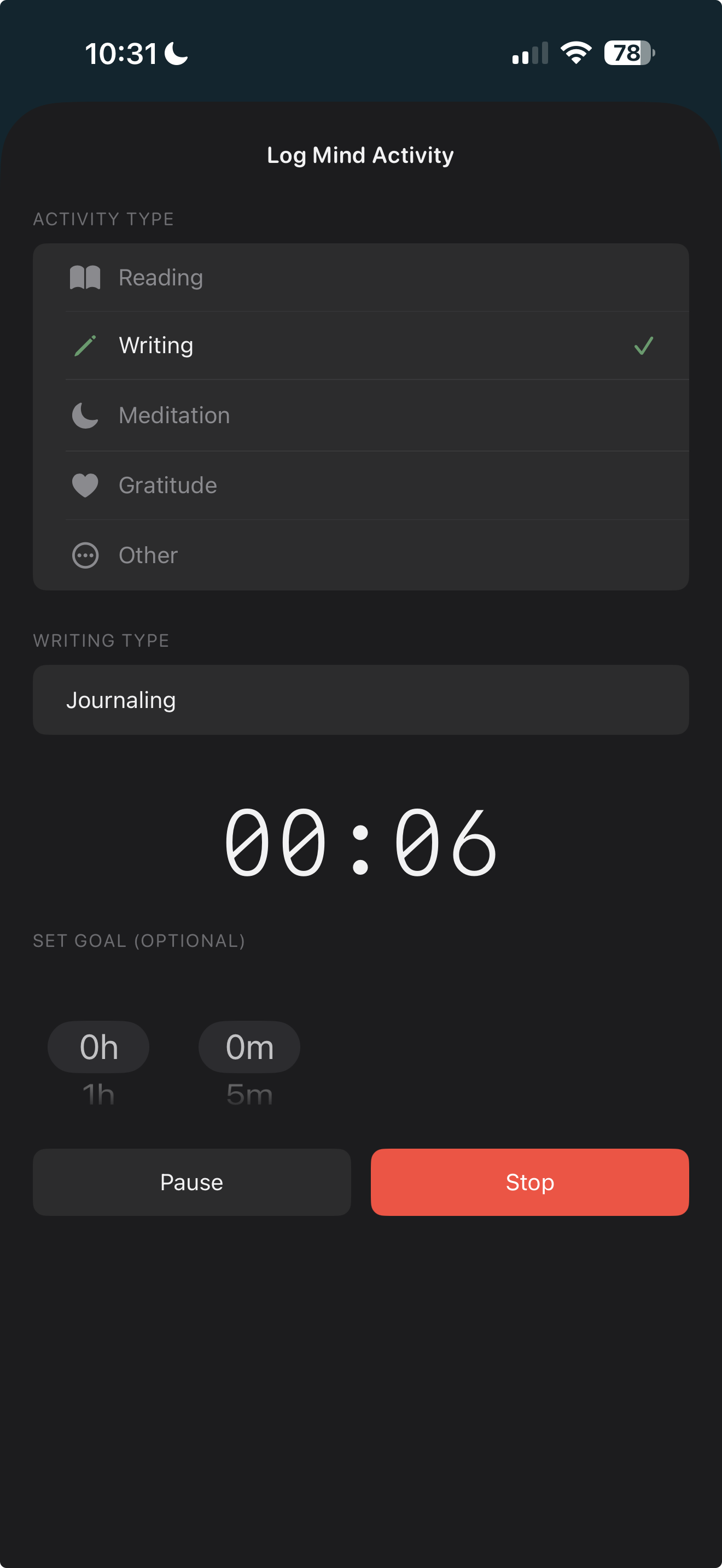
Start a writing timer for journaling, authoring, or any writing practice. Sub-types autocomplete from your history. Sessions feed into your daily mind time and weekly review.
Tap + on the Today view and choose Writing. Select or define a sub-type (Journaling, Authoring, etc.).
Optionally set a time goal. Start the timer — it runs in the Dynamic Island and on your lock screen.
When done, stop the timer. Your session is logged with duration and sub-type. Writing time rolls into your daily mind total.
"Your writing practice, tracked the same way you track everything else."
What are writing sub-types?
Labels for your writing sessions — Journaling, Authoring, or anything you define. They autocomplete from your past entries.
Can I create custom sub-types?
Yes — type any label you want. It will autocomplete in future sessions.
Does the timer work in the background?
Yes — it runs in the Dynamic Island and on your lock screen. You can close the app or use other apps.
Can I set a time goal?
Yes — set an optional goal in 5-minute increments. A notification fires when you hit it.
How does it count toward my mind time?
When you stop the timer, the session is logged with its duration. It rolls into your daily mind time and weekly review.
Related features
$4.99. One-time purchase. Syncs privately via your own iCloud.