READING LIBRARY
A Reading Library That Tracks Every Session
Add books, articles, audiobooks, and more. Link every reading session to a title, log page ranges, and watch your progress accumulate, session by session.
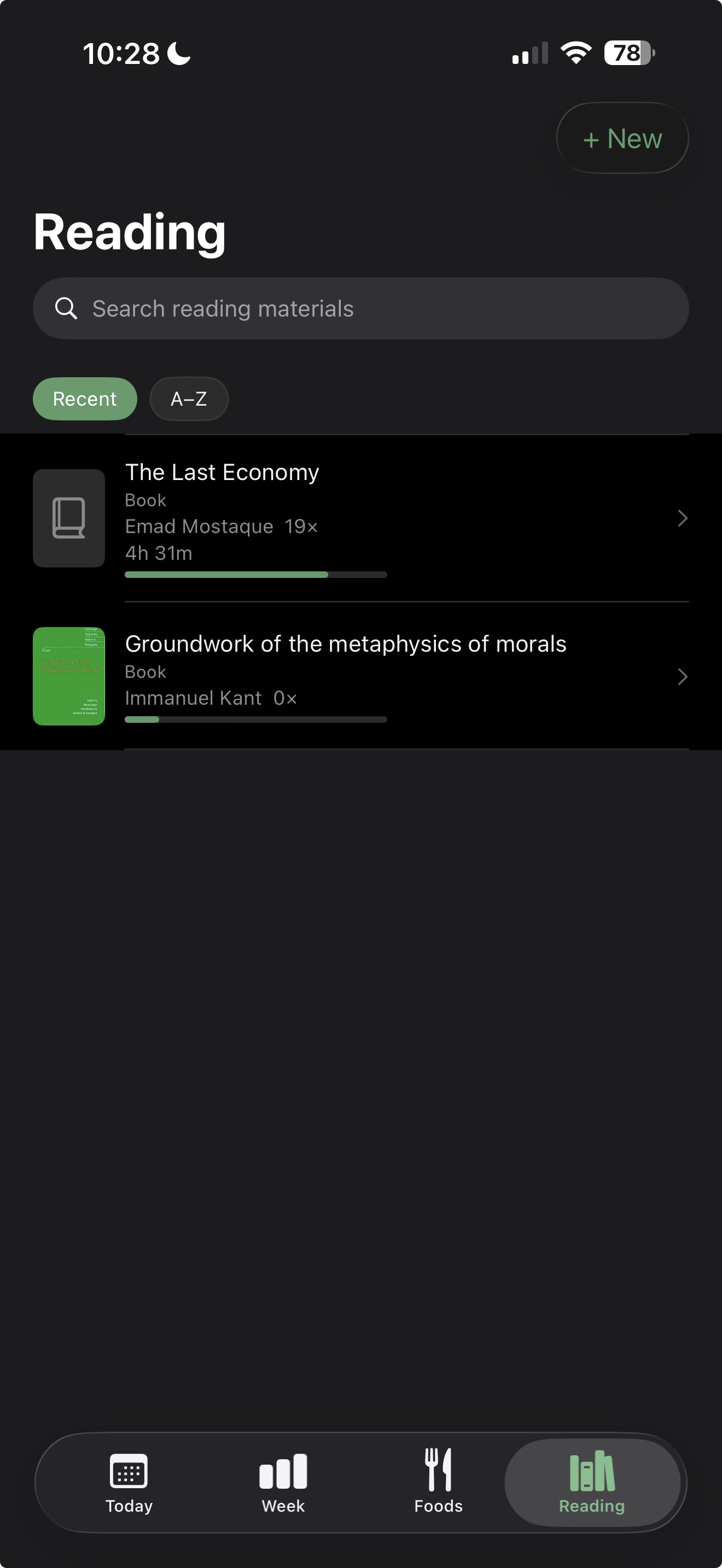
Add books, articles, audiobooks, and more. Link every reading session to a title, log page ranges, and watch your progress accumulate, session by session.
Add a book, article, or other reading material. Optionally scan an ISBN for automatic title, author, and page count lookup.
Log a reading session. Link it to a title, set start and end pages. Time is logged automatically.
Watch your progress accumulate. See total time, session count, and progress bar for each title.
"Every session linked, every page logged — your reading history, built automatically."
What reading types are supported?
Book, Article, Magazine, Newspaper, Newsletter, and Audiobook. Each type has its own fields — books have page counts, articles have URLs.
How do I add a book?
Tap + and choose Library. Select a type, then either scan an ISBN (for automatic lookup) or enter details manually.
Can I log multiple reading sessions for one book?
Yes — every reading session links to a title. Log as many sessions as you want. Progress accumulates automatically.
How does page tracking work?
When you log a session, set start and end pages. The app updates your current page automatically. Next session, start page auto-fills from your last end page. Page fields accept numbers or roman numerals (e.g. xiv).
Where does cover art come from?
If you scanned or entered an ISBN, cover art loads from Open Library's cover image service automatically.
Related features
$4.99. One-time purchase. Syncs privately via your own iCloud.