GRATITUDE
Gratitude Log: Write It Down, Move On
No timer. No friction. Open the mind sheet, choose Gratitude, write what you're grateful for, and tap Log Gratitude. Done in seconds. Private by default.
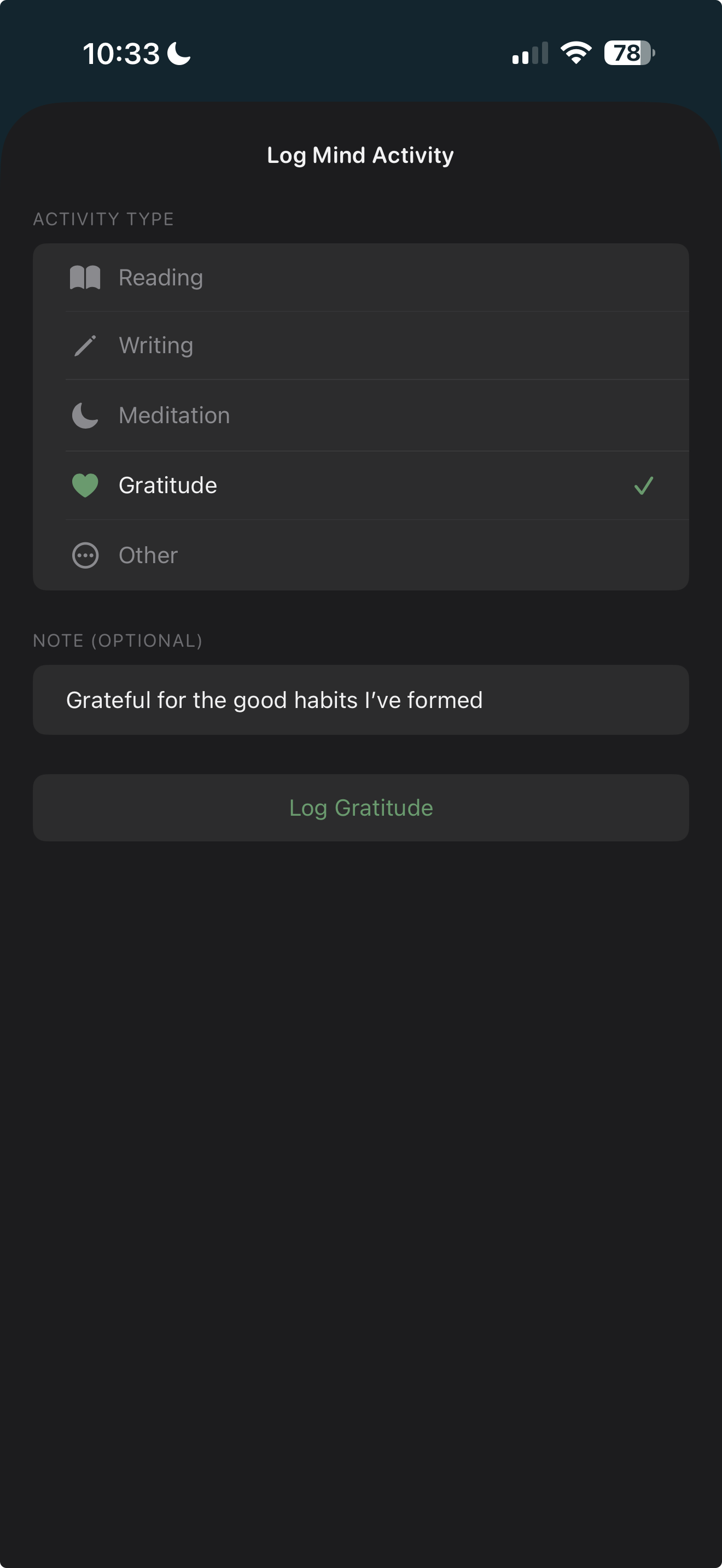
No timer. No friction. Open the mind sheet, choose Gratitude, write what you're grateful for, and tap Log Gratitude. Done in seconds. Private by default.
Tap + on the Today view and choose Gratitude from the mind activities.
Write what you're grateful for. No timer, no time tracking — just write.
Tap "Log Gratitude." Your entry is saved privately to your iCloud. Done.
"No timer. No friction. Just write what you're grateful for and move on."
Do I need to set a time goal?
No — gratitude is the only mind activity without a timer. Just write and tap "Log Gratitude."
How long can my gratitude note be?
As long as you want. Write a sentence or a paragraph — whatever feels right.
Are my gratitude notes private?
Yes — stored in your private iCloud via SwiftData. Never leave your device ecosystem. We never see them.
Does gratitude count toward my mind time?
Yes — entries appear in your daily mind section and weekly total, even though no time is tracked.
Can I edit a gratitude entry?
Yes — tap any gratitude entry to edit or delete it.
Related features
$4.99. One-time purchase. Syncs privately via your own iCloud.